AI pair programming in your terminal
One static binary. Sub-millisecond startup. Any model.


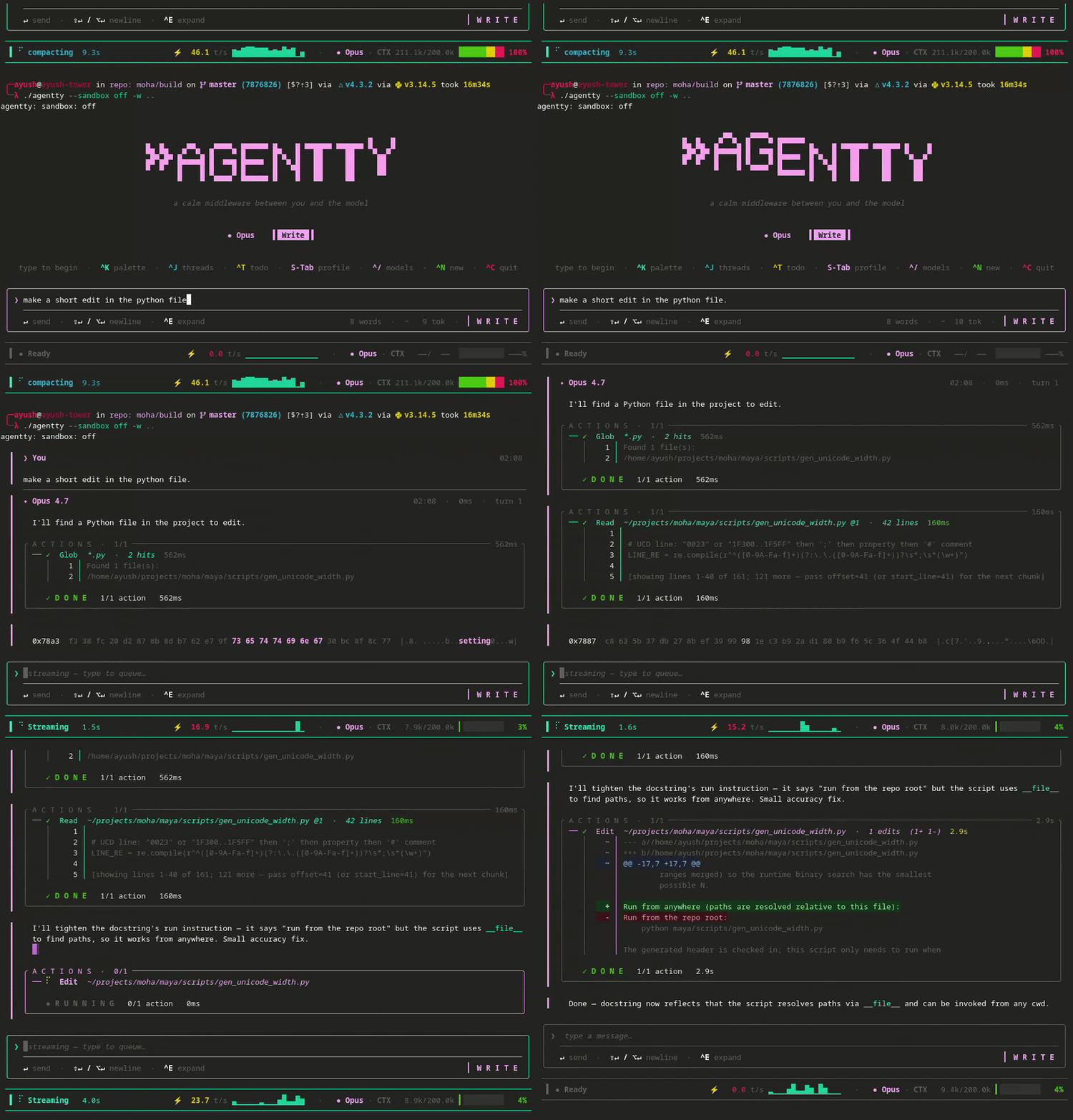
Getting Started
curl -fsSL https://raw.githubusercontent.com/1ay1/agentty/master/install.sh | sh
cd your-project
agentty
First launch opens auth — OAuth (uses your Claude Pro/Max subscription) or paste an API key. Once you're in, a first-run welcome card suggests a few things to try; just type and hit Enter.
Features
Providers
agentty                                    # Claude (default)
agentty --provider openai -m gpt-4o        # GPT
agentty --provider groq -m llama-3.3-70b   # Groq
agentty --provider ollama -m qwen2.5-coder # Local model
agentty --provider openrouter              # Any model via OpenRouter
--provider persists. Switch live in-app with ^P.
Keys
| Key | Action | Key | Action |
|---|---|---|---|
Enter |
Send | ^K |
Command palette |
Esc |
Cancel / reject | ^J |
Thread list |
S-Tab |
Cycle profile | ^P |
Model picker |
Alt+Enter |
Newline | ^N |
New thread |
^G |
Run code block | ^←/→ or Alt+←/→ |
Cycle threads |
More
Installation options
Linux
# Debian / Ubuntu
curl -fsSLO https://github.com/1ay1/agentty/releases/latest/download/agentty_amd64.deb
sudo dpkg -i agentty_amd64.deb

# Fedora / RHEL / CentOS
sudo dnf install https://github.com/1ay1/agentty/releases/latest/download/agentty-x86_64.rpm

# openSUSE
sudo zypper install https://github.com/1ay1/agentty/releases/latest/download/agentty-x86_64.rpm

# Arch (AUR)
yay -S agentty-bin

# Alpine
curl -fsSLO https://github.com/1ay1/agentty/releases/latest/download/agentty-x86_64.apk
sudo apk add --allow-untrusted agentty-x86_64.apk
macOS
brew tap 1ay1/tap && brew install agenttyWindows
scoop bucket add 1ay1 https://github.com/1ay1/scoop-bucket; scoop install agentty
# or
winget install agentty.agentty
Anywhere (no package manager)
curl -fsSL https://raw.githubusercontent.com/1ay1/agentty/master/install.sh | shFrom source (needs a C++26 toolchain — GCC 14+ / recent Clang / MSVC)
git clone --recursive git@github.com:1ay1/agentty.git
cd agentty && cmake -B build && cmake --build build -j
All binaries are a single fully-static executable (x86_64 + aarch64 on Linux, Intel + Apple Silicon on macOS). Packaging details: packaging/README.md.
Air-gapped hosts
agentty airgap --setup user@host   # first time: copies credentials
agentty airgap user@host           # every time after
Your laptop relays via SOCKS5-over-SSH. TLS pins on real upstreams — the network in between can't MITM you.
Inside Zed (ACP)
agentty speaks the Agent Client Protocol — the same protocol Zed uses for Claude Code. Add to Zed's settings:
{
  "agent_servers": {
    "agentty": {
      "command": "agentty",
      "args": ["acp"]
    }
  }
}
Run code blocks from replies (Ctrl+G)
The AI hands you a fenced block of commands — don't copy-paste it. ^G lists
the blocks from the last reply; Enter (or a digit) runs one interactively
on your real terminal: the TUI suspends, sudo password prompts work, output
streams live, Ctrl+C kills the command (not agentty). When it exits, a
result card lets you attach the captured output to the composer as a
collapsed chip (a), copy it (y), or discard (Esc) — so "it failed with
X" reaches the model without you re-typing anything.
Runs the right shell per block on every OS: sh/bash blocks through
/bin/sh on Linux/macOS, powershell/pwsh and cmd/bat blocks through
PowerShell / cmd.exe on Windows. Prompt $ markers are stripped, a block
your platform can't run offers edit/copy instead, and capture is capped at
2 MB. Details: docs/RUN_CODE_BLOCK.md
Agent Skills
Drop a SKILL.md anywhere under .agentty/skills/ or ~/.agentty/skills/ — it's live next turn. Compatible with Claude Code's .claude/skills/ format.
On codebases with internal DSLs or tribal conventions, agent accuracy jumps from ~20% to ~85% with curated skills (research).
Architecture
Pure-functional update loop: (Model, Msg) -> (Model, Cmd). View is Model -> Element, rendered by maya. Process management via posix_spawn + poll(2). File writes are atomic (write + fsync + rename).
Deep dive: docs/ARCHITECTURE.md · docs/RENDERING.md
Releasing (maintainers)
Cutting a release is one command:
scripts/cut-release.sh X.Y.Z      # POSIX / macOS / Linux / Git-Bash
scripts\cut-release.cmd X.Y.Z     # Windows cmd.exe
It bumps project(agentty VERSION …) in CMakeLists.txt (the single source
of truth every manifest derives from), promotes CHANGELOG.md's [Unreleased]
section to [X.Y.Z], commits, tags vX.Y.Z, and pushes. The tag push fires
GitHub Actions, which builds every binary + OS package (Linux x86_64/aarch64
on native runners, macOS Intel/ARM, Windows .exe/.msi) and auto-submits to
winget, Homebrew, Scoop, and the AUR — nix/snap/gentoo manifests are attached
to the release. --dry-run previews without writing anything.
License
MIT — see LICENSE.