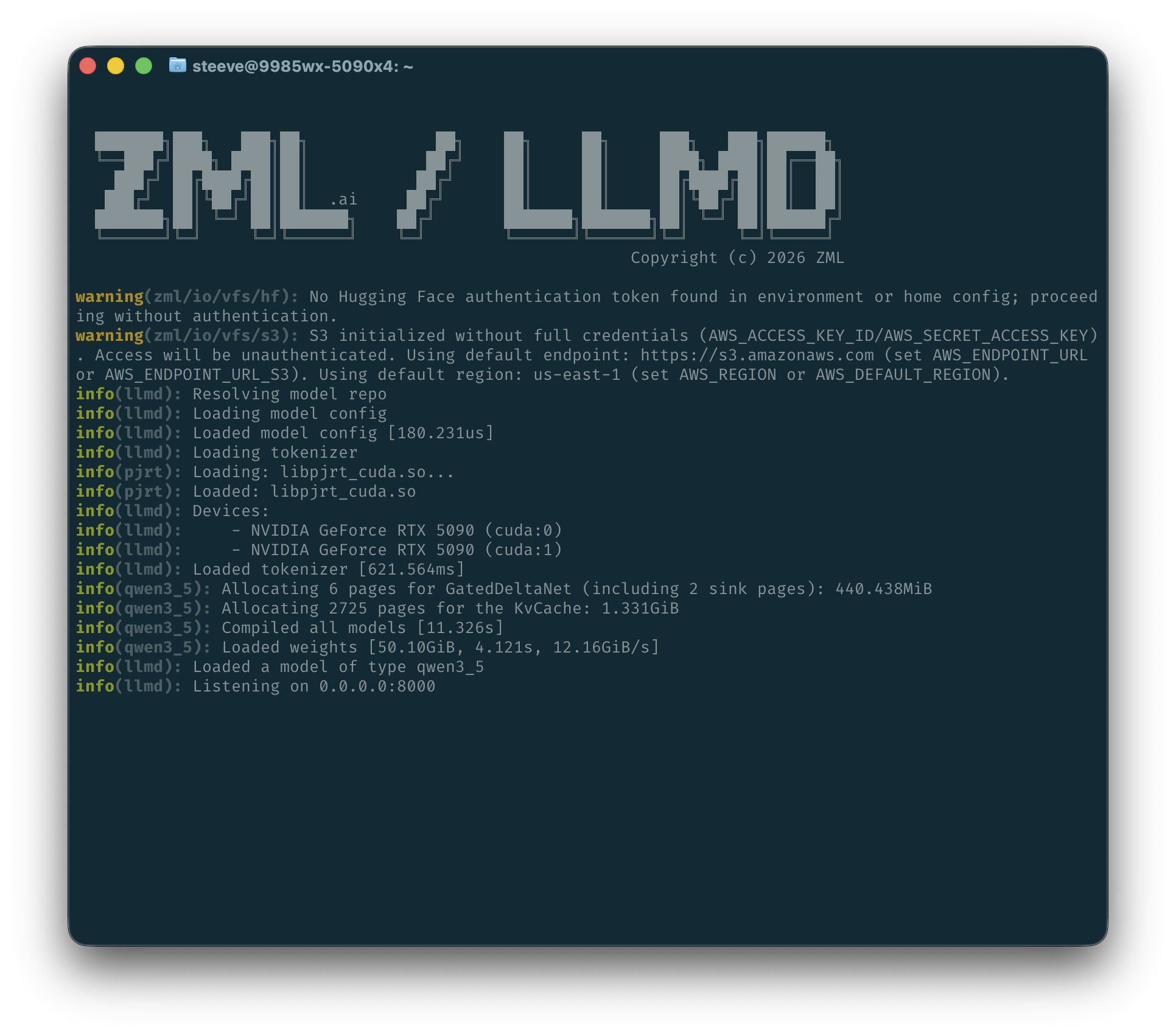
Today we’re releasing ZML/LLMD. It’s a self-contained inference server that runs LLaMa, Gemma, Qwen and Mistral LLMs transparently on 5 architectures: NVIDIA CUDA, AMD ROCm, Google TPU, Intel oneAPI and Apple Metal.
Modern serving features
ZML/LLMD supports modern serving features: continuous batching, paged attention, tensor parallel sharding, prefix caching, tool calling and does so on all platforms.
Metrics are also exposed in the Prometheus format via the /metrics endpoint.
Supported models
ZML/LLMD alpha ships with support for the following models:
- Qwen 2, 3, 3.5 and 3.6 series (dense and MoE)
- Gemma 3 and 4 series (dense and MoE)
- LFM2.5 series
- Mistral 3 and Ministral series
- LLaMa 2 and 3 series
DeepSeek, Kimi, GLM, MiniMax and StepFun models are coming soon.
Native HuggingFace, S3 and GCS support
Built on ZML, ZML/LLMD has native support for ZML’s VFS subsystem, which allows for zero-copy loading of models from
HuggingFace (hf://), S3 (s3://), and GCS (gs://). This means that you can load models directly from these sources
without having to download them first, saving time and storage space. Authentication is handled with the standard
environment or paths for each backend.
For instance, loading from HuggingFace is as simple as using the hf:// prefix on any flag that expects a path:
$ docker run -p 8000:8000 --shm-size=256GB --gpus=all -e HF_TOKEN -it zmlai/llmd:cuda \
    --model=hf://Qwen/Qwen3-8B
Notice we’re also passing the HF_TOKEN environment variable to authenticate.
DFlash speculative decoding
ZML/LLMD alpha ships with native support for DFlash on Gemma 4 series and soon Qwen series models. DFlash is a new speculative decoding algorithm that can speed up tok/s/user by up to 10x on supported models.
To use it, just pass the --dflash-model flag when launching LLMD:
$ docker run -p 8000:8000 --shm-size=256GB --gpus=all -e HF_TOKEN -it zmlai/llmd:cuda \
    --model=hf://google/gemma-4-31B-it \
    --dflash-model=hf://z-lab/gemma-4-31B-it-DFlash
One nice benefit of ZML’s programming model is the compounding of features across platforms. For instance, DFlash transparently runs very well on Intel and Apple GPUs.
Read about DFlash on the Z-Lab blog and the currently released DFlash drafters.
Optimized Docker image
On each platform, ZML/LLMD ships the platform runtime as part of the image in a sandboxed manner. Per file optimization
reduces image sizes by 5-10x. On top of that careful ordering of layers and custom compression improves
docker pull time by using download/extraction overlapping.
The result is a small image that can be pulled and run in seconds:
$ time docker pull zmlai/llmd:cuda
cuda: Pulling from zmlai/llmd
...
Status: Downloaded newer image for zmlai/llmd:cuda
docker.io/zmlai/llmd:cuda

real    0m13.766s
user    0m0.021s
sys     0m0.022s
| Platform | Image | Size |
|---|---|---|
| CUDA | zmlai/llmd:cuda |
1.7 GB |
| ROCm | zmlai/llmd:rocm |
3.9 GB |
| TPU | zmlai/llmd:tpu |
280 MB |
| OneAPI | zmlai/llmd:oneapi |
350 MB |
| Metal | brew install zml/zml/llmd |
140 MB |
Each image ships with everything it needs to run. For instance on Metal the Apple Metal compiler is shipped in the archive, or ROCm itself in the AMD image.
Built-in CUDA Compatibility
On the CUDA platform, ZML/LLMD ships with the CUDA Compatibility layer transparently built-in that enables ZML/LLMD to run on a wide range of driver versions without intervention.
This feature doesn’t require any special configuration as the probe is done automatically at runtime. It is also fully sandboxed and doesn’t require any system libraries to be installed.
Automatic sharding support
ZML/LLMD supports tensor parallel inference on all platforms. It automatically shards the model across multiple devices and handles the communication between them transparently.
Currently only tensor or expert parallel sharding is supported. More control will be added in the near future, for instance pipeline parallelism.
Python-free Execution Path
ZML/LLMD runs on ZML’s own ML framework, ZML, built with Zig, MLIR, OpenXLA. It compiles binaries and runtimes ahead of time into a single, hermetic artifact. Since the ZML programming model is explicit compilation passes, once compiled, there are no hidden compilation happening in the hot path. Latencies are flat and predictable.
Performance
google/gemma-4-26B-A4B-it (bs=16)
| NVIDIA H100x2 | Avg | Min | Max | P50 | P75 | P90 | P95 | P99 | P99.9 |
|---|---|---|---|---|---|---|---|---|---|
| TTFT (ms) | 127.64 | 70.39 | 162.08 | 141.91 | 142.04 | 142.1 | 143.1 | 158.28 | 161.7 |
| ITL (ms) | 12.03 | 0.01 | 85.58 | 11.67 | 12.28 | 13.14 | 16.35 | 68.24 | 74.42 |
| Total tok/s | 1317.93 |
| Intel B70x2 | Avg | Min | Max | P50 | P75 | P90 | P95 | P99 | P99.9 |
|---|---|---|---|---|---|---|---|---|---|
| TTFT (ms) | 426.05 | 117.36 | 1027.4 | 375.38 | 375.4 | 612.75 | 850.48 | 992.01 | 1023.86 |
| ITL (ms) | 81.83 | 0.03 | 499.75 | 81.62 | 82.72 | 83.7 | 84.17 | 84.6 | 279.99 |
| Total tok/s | 179.31 |
| AMD MI300X | Avg | Min | Max | P50 | P75 | P90 | P95 | P99 | P99.9 |
|---|---|---|---|---|---|---|---|---|---|
| TTFT (ms) | 101.86 | 36.3 | 145.35 | 109.7 | 109.76 | 110.39 | 116.76 | 139.63 | 144.77 |
| ITL (ms) | 18.52 | 0.02 | 69.33 | 18.4 | 18.82 | 19.12 | 19.26 | 40.41 | 47.75 |
| Total tok/s | 858.8 |
| M3 Max | Avg | Min | Max | P50 | P75 | P90 | P95 | P99 | P99.9 |
|---|---|---|---|---|---|---|---|---|---|
| TTFT (ms) | 2364.71 | 1840.79 | 2608.73 | 2411.42 | 2411.5 | 2470.67 | 2539.7 | 2594.92 | 2607.35 |
| ITL (ms) | 67.01 | 25.81 | 196.99 | 67.02 | 70.63 | 74.5 | 77.41 | 85.19 | 104.45 |
| Total tok/s | 109.59 |
google/gemma-4-31B-it + z-lab/gemma-4-31B-it-DFlash (bs=16)
| TPU v6ex4 | Avg | Min | Max | P50 | P75 | P90 | P95 | P99 | P99.9 |
|---|---|---|---|---|---|---|---|---|---|
| TTFT (ms) | 137.64 | 25.36 | 187.67 | 137.79 | 137.82 | 158.75 | 187.17 | 187.57 | 187.66 |
| ITL (ms) | 16.73 | 0.01 | 345.35 | 0.02 | 0.08 | 71.85 | 73.76 | 75.63 | 323.83 |
| Total tok/s | 943.7 |
| AMD MI300X | Avg | Min | Max | P50 | P75 | P90 | P95 | P99 | P99.9 |
|---|---|---|---|---|---|---|---|---|---|
| TTFT (ms) | 254.95 | 57.23 | 368.84 | 268.09 | 268.14 | 268.23 | 283.34 | 351.74 | 367.13 |
| ITL (ms) | 21.51 | 0.01 | 140.15 | 0.02 | 0.03 | 91.55 | 93.82 | 109.29 | 139.67 |
| Total tok/s | 731.8 |
Qwen/Qwen3.6-27B (bs=8)
| M3 Max | Avg | Min | Max | P50 | P75 | P90 | P95 | P99 | P99.9 |
|---|---|---|---|---|---|---|---|---|---|
| TTFT (ms) | 6052.4 | 2684.92 | 7285.46 | 6408.14 | 6408.16 | 6671.36 | 6978.41 | 7224.05 | 7279.32 |
| ITL (ms) | 183.96 | 3.33 | 876.88 | 183.83 | 185.05 | 186.34 | 187.62 | 196.88 | 208.71 |
| Total tok/s | 33.5 |
| AMD MI300X | Avg | Min | Max | P50 | P75 | P90 | P95 | P99 | P99.9 |
|---|---|---|---|---|---|---|---|---|---|
| TTFT (ms) | 259.71 | 68.5 | 357.55 | 241.55 | 270.58 | 357.51 | 357.54 | 357.55 | 357.55 |
| ITL (ms) | 30.97 | 0.01 | 115.9 | 31.02 | 31.15 | 31.24 | 31.29 | 31.42 | 34.38 |
| Total tok/s | 511.6 |
Fast cold start
ZML/LLMD has been designed from the ground up to have fast cold start times, as shown here with Qwen 3.6-27B BF16:
Give it a try
Run ZML/LLMD and point your favorite harness to it.
NVIDIA
docker run -p 8000:8000 --shm-size=256GB --gpus=all -e HF_TOKEN -it zmlai/llmd:cuda \
    --model=hf://Qwen/Qwen3.6-27B
AMD
docker run -p 8000:8000 --device=/dev/kfd --device=/dev/dri -e HF_TOKEN -it zmlai/llmd:rocm \
    --model=hf://Qwen/Qwen3.6-27B
Intel
docker run -p 8000:8000 --device=/dev/dri -e HF_TOKEN -it zmlai/llmd:oneapi \
    --model=hf://Qwen/Qwen3.6-27B
Google TPU
docker run --net=host --privileged -e HF_TOKEN -it zmlai/llmd:tpu \
    --model=hf://Qwen/Qwen3.6-27B
Apple Metal
brew install zml/zml/llmd
llmd --model=hf://Qwen/Qwen3.6-27B